 Wellmet
A calm relationship assistant for iPhone
Remember people.
Follow up at the
right time.
Wellmet reads your calendar, recognizes who you are about to meet, and has what you know about them ready before you walk in. Afterward it takes a note in seconds and brings the follow-up back on the day it is due.

Coming soon for iPhone, iOS 26 and later.
- Set up in about a minute
- No account to create
- Your notes stay on your phone
How it works
Three moments, handled
Wellmet shows up at the three points where a relationship is won or lost, and stays quiet the rest of the day.
Walk in knowing who they are
Fifteen minutes ahead, Wellmet shows who you are meeting, what was said last time and anything you told them you would do.
Capture it while it is fresh
Tap and talk, or type a line. The note lands under the right person, and a day such as “by Friday” is read straight from your words.
Follow up on the right day
The follow-up comes back with a draft ready to review. You send it yourself from Messages, so nothing goes out without you.
A closer look
Built around the way you already work
Useful on the day you install it
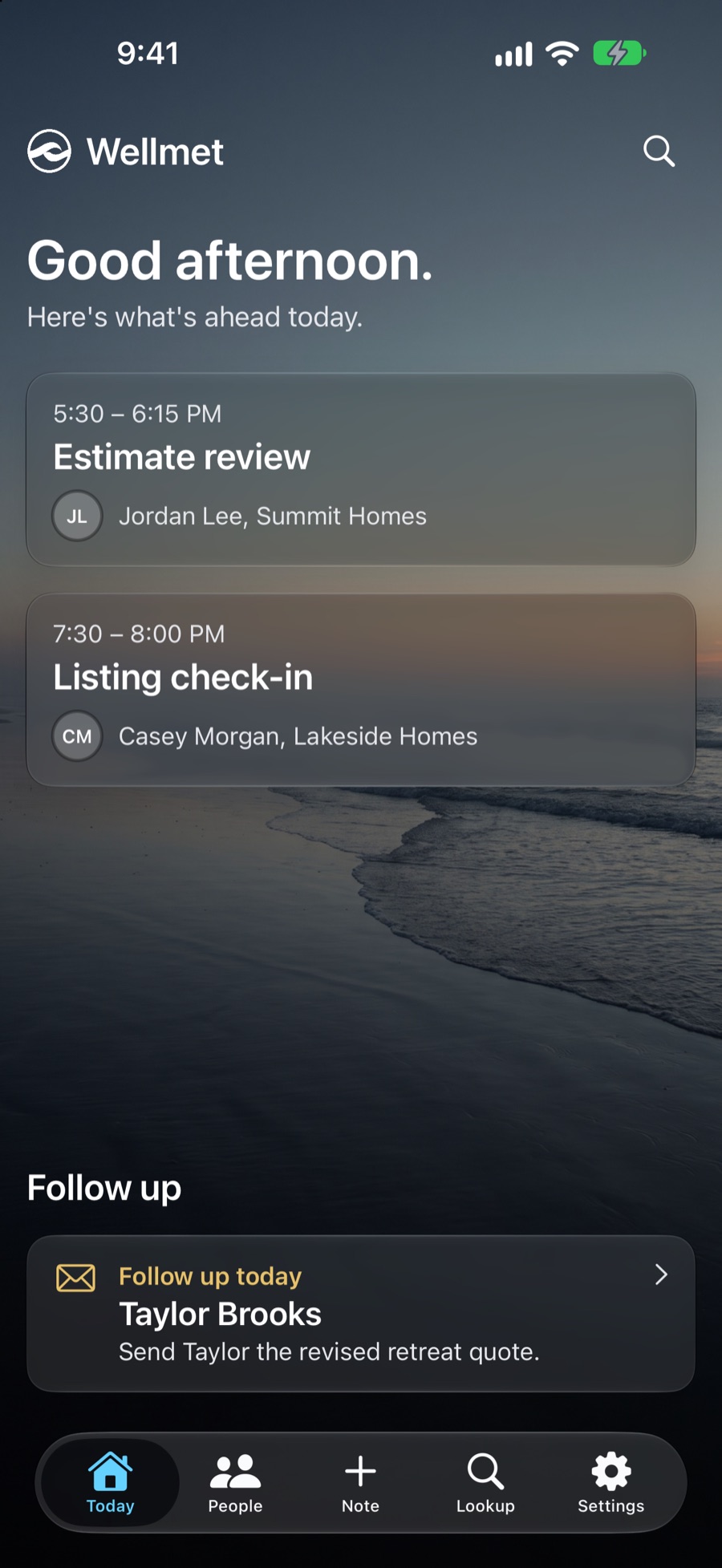
Connect your calendar and contacts and Wellmet looks back over your recent meetings. There is something to act on right away, with no records to fill in and nothing to import.
- Today opens on the meetings still ahead, with the person and the company for each one.
- What you owe someone waits under Follow up, with the day it is due.
- Notes, people and lookups are one tap away at the bottom of the screen.
Every meeting has a purpose
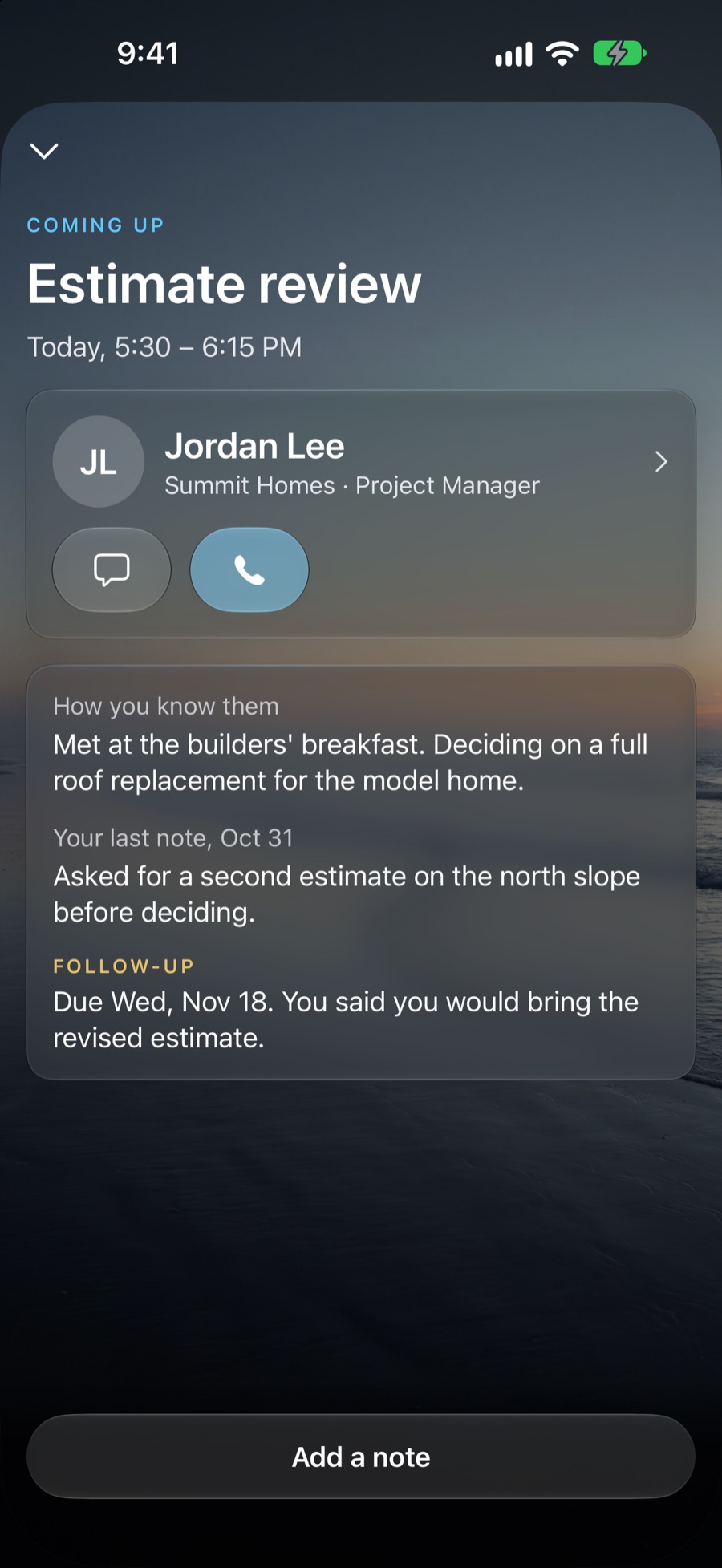
Open a meeting and Wellmet has the person, the history and the promise ready before you walk in. From the same screen you can text or call, or add a note.
- How you know them, so you never start from a blank page.
- Your last note, with the date you wrote it.
- What you said you would do, and the day it is due.
Know who you are talking to
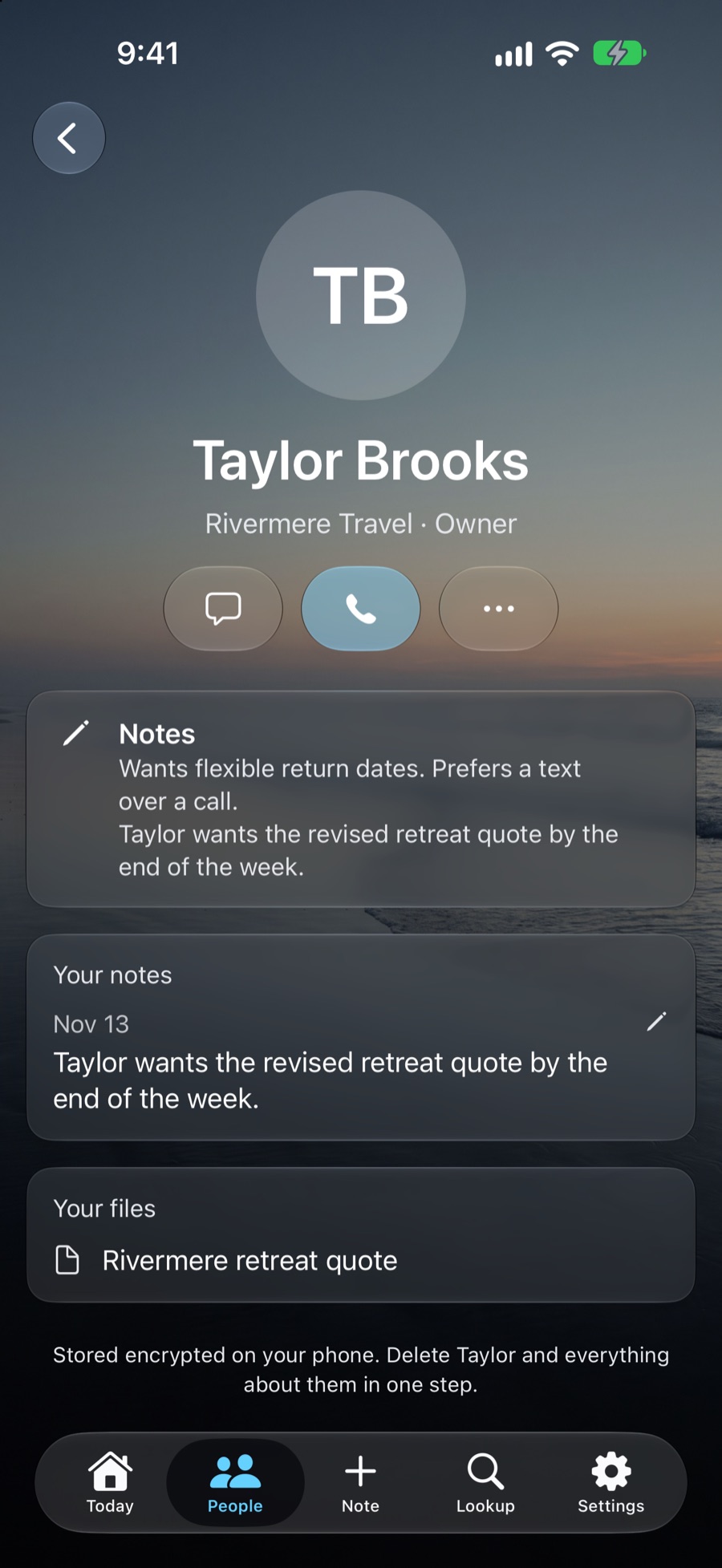
Each person has one card with their company and role, what you already know about them, your own dated notes and any file you saved. When your contacts cannot say who someone is, Wellmet can find out from public business sources.
- Text and call are one tap away.
- Notes carry the date you wrote them, and can be corrected at any time.
- Everything is stored encrypted on your phone, and a person can be deleted in one step.
- Lookups happen only when you ask for them.
Set up in about a minute
Choose your line of work, connect your calendar and contacts, and decide whether you want reminders. Wellmet explains each step before it asks, and you can change any of it later in Settings.
- No account, no password and no sync to configure.
- You choose which calendars Wellmet reads.
- A short tour shows you around when you finish.
Why Wellmet
Why people choose it
- There is no CRM to maintain.People arrive from your calendar and your contacts. You never fill in a record.
- It works the day you install it.Wellmet looks back over your recent meetings, so there is something to act on right away.
- It knows who people are.When your contacts cannot say, Wellmet can find a company and role from public business sources.
- It asks for very little attention.You get one prompt at the right moment, and there are no streaks, badges or overdue lists.
- Your notes stay on your phone.They are encrypted whenever it is locked, and they stay there unless you connect LeadMachine.
- It gets sharper for your trade.Follow-up timing improves by industry, from anonymous numbers that never include names or notes.
Who it is for
Made for people who work by phone
If you keep clients in your head, your calendar and your phone, Wellmet is built around the way you already work.
Privacy
Your people and notes stay on your phone
- Everything you write is stored on your iPhone and encrypted whenever it is locked.
- A business lookup sends one name and work email address, and only when you ask for it.
- Anonymous usage, crash reports and timing patterns help improve the app. They carry no names or notes, and you can turn each one off in Settings.
- If you connect LeadMachine, your people, notes and follow-ups sync with your own LeadMachine account. That only happens when you sign in and ask for it.
- Wellmet never sends a message for you and never tracks you across other apps.
Pricing
Free to use, with Plus when you want more
Everything Wellmet does for your meetings, notes and follow-ups is free. Plus adds more business lookups for people who meet a lot of new faces.
Wellmet
- Briefs before every meeting
- Notes by voice or typing
- Follow-ups and reminders
- Connect to LeadMachine
- 3 business lookups a month
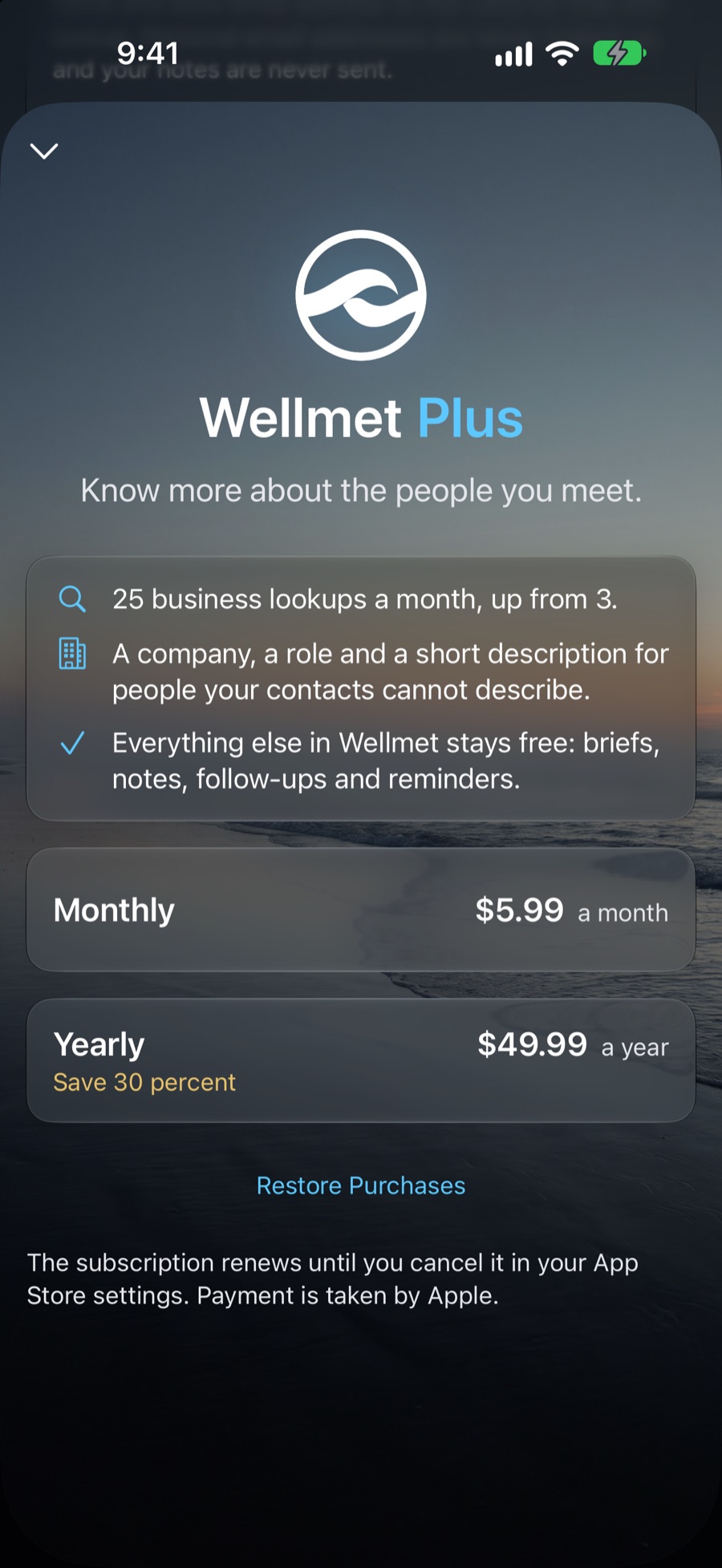
Wellmet Plus
- Everything in the free app
- 25 business lookups a month, up from 3
- A company, a role and a short description for each one
- Cancel any time in your App Store settings
Questions
Good things to know
Do I need to enter my contacts or clients?
No. Wellmet finds the people you meet from your calendar and matches them to the contacts already on your phone. You can also look anyone up by name and add them.
Does Wellmet read my calls or text messages?
No. iPhone does not allow any app to do that, and Wellmet does not try. It works from your calendar, your contacts and the notes you choose to add.
Does it send messages for me?
No. Wellmet drafts a follow-up and opens it in Messages, addressed to the right person. You read it, change it if you like, and send it yourself.
Where is my information kept?
On your iPhone, encrypted whenever it is locked. There is no Wellmet account, and your people and notes are not uploaded unless you choose to connect LeadMachine.
What does it cost?
Wellmet is free, including briefs, notes, follow-ups, reminders and three business lookups a month. Wellmet Plus is $5.99 a month or $49.99 a year and raises that to 25 lookups a month.
Which iPhones does it work on?
Wellmet needs iOS 26 or later.
How does it work with LeadMachine?
Wellmet stands on its own. If you also use LeadMachine, sign in from Settings and your people, notes and follow-ups stay in step in both directions.
How do I get help?
Write to support@askledo.com, or use “Get help or report a problem” in the app’s Settings. For anything else, hello@askledo.com reaches us.
Calm Intelligence, from Ask Ledo
Remember people.
Follow up at the right time.
Ask Ledo builds tools that separate noise from productivity. Wellmet does the remembering quietly, keeps you in charge of every message, and stays out of the way the rest of the day.
Coming soon for iPhone, iOS 26 and later.